Kje kupiti
Potrebujete nasvet? Naši šolani trgovci vam z veseljem pomagajo pri velikih ali malih vprašanjih
Poiščite najbližjega trgovca
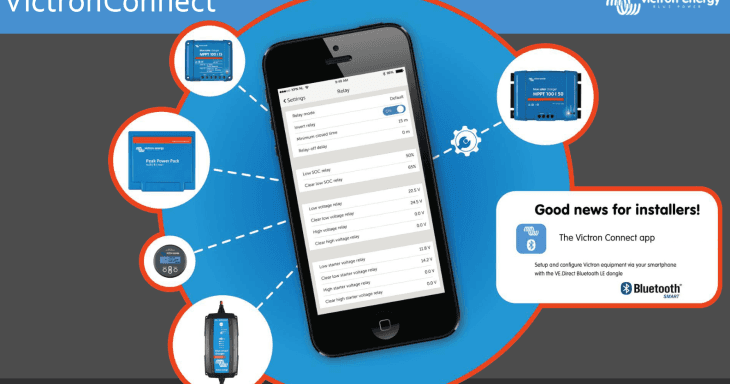
VictronConnect 1.7 – Android 6 compatibility and more
Good morning all,
Next step in making life easier: VictronConnect version v1.7 has been released. It includes three major improvements:
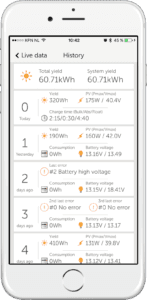
Most of our solar chargers keep a 30 day history log. Visible in VictronConnect like this:
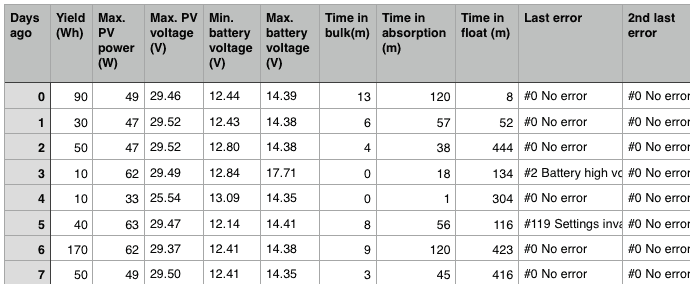
Now there is a new feature: save this data as a CSV file, and review it later. This is how the file will look in Excel or another similar tool:
In installations that have no internet connection, the Color Control GX can store the datalogs on an SD card or USB stick. VictronConnect can now be used to convert the file on that stick to an *.xlsx file. The procedure is quite simple:
Screenshot of the new feature (click to see the full screenshot):
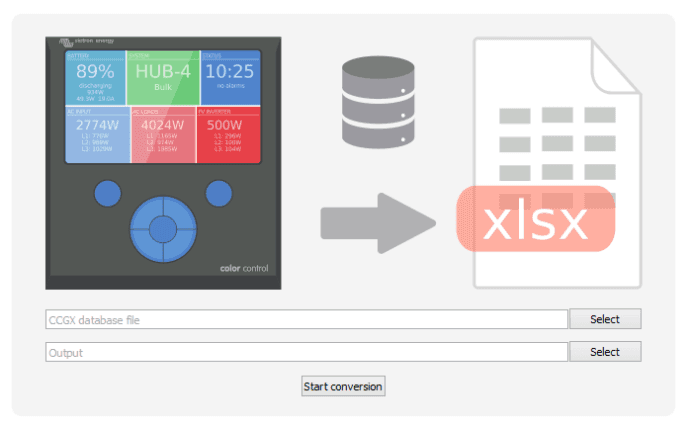
This feature only works on Windows and Mac OS X. It does not work on iOS and Android devices.
The other way of analysing the data logs is by uploading the files to the VRM Portal and this is still available as well. The major advantage of the new way is that it is now possible to immediately analyse the data. No need to first travel back to a location which has an Internet connection.
To be honest, Android with all its versions and hundreds or thousands of different phones has proven itself to be quite a challenge. It is not at all straightforward to make VictronConnect work with all possible combinations, especially for anything related to Bluetooth Smart.
We are managing quite well though, with only one handful of support cases, out of thousands of dongles sold. And now with these improvements in place we are down to only two real issues.
What has changed?
The first time you connect this new version of VictronConnect to a dongle, it will want to update the firmware in the VE.Direct Bluetooth dongle to a newer version (2.07). Once that update is in place, connections work better on most phones that had issues. We tested it on the following phones, all running Android 6:
All of these work 100% now, with exception of the Samsung. It might still be necessary to click the device in the VictronConnect scan-list several times before it is able to connect or possibly disabling and then re-enabling Bluetooth.
Note that the improvements only work after installing the new firmware in the dongle. Don’t use a phone that has a problem connecting for that. Use a phone from a friend or family member instead. iPhone 4S and all its successors work fine for example.
The above are the highlights, read on for the full changelog, as well as the short changelogs for the previous two versions, as I hadn’t previously published them.
General:
BlueSolar MPPT:
Peak Power Pack:
General:
BlueSolar MPPT:
That’s all; you are welcome to post any comments or questions in the Disqus system below. Wishing you a good day.
Matthijs Vader
Potrebujete nasvet? Naši šolani trgovci vam z veseljem pomagajo pri velikih ali malih vprašanjih
Poiščite najbližjega trgovca
Preverite naš sistem podpore ali kontaktirajte vašega trgovca za pomoč, popravilo ali garancijske zahtevke
Podpora
Preberite več o naši vodilni 5-letni standardni garanciji in globalni storitvi popravil.
Garancija


©Victron Energy 2026
